Identifying an unfamiliar plant can be difficult when you do not know its botanical name or the terminology needed to search for it. A person may recognize plants from years of experience, know their local names, or understand their uses, but still struggle to identify a species using conventional botanical search tools.
This becomes particularly challenging in regions with rich plant diversity, where identification depends on distinguishing between species that may look similar. Global plant identification applications may also return species that do not occur in the user’s local environment, making it harder to find relevant information.
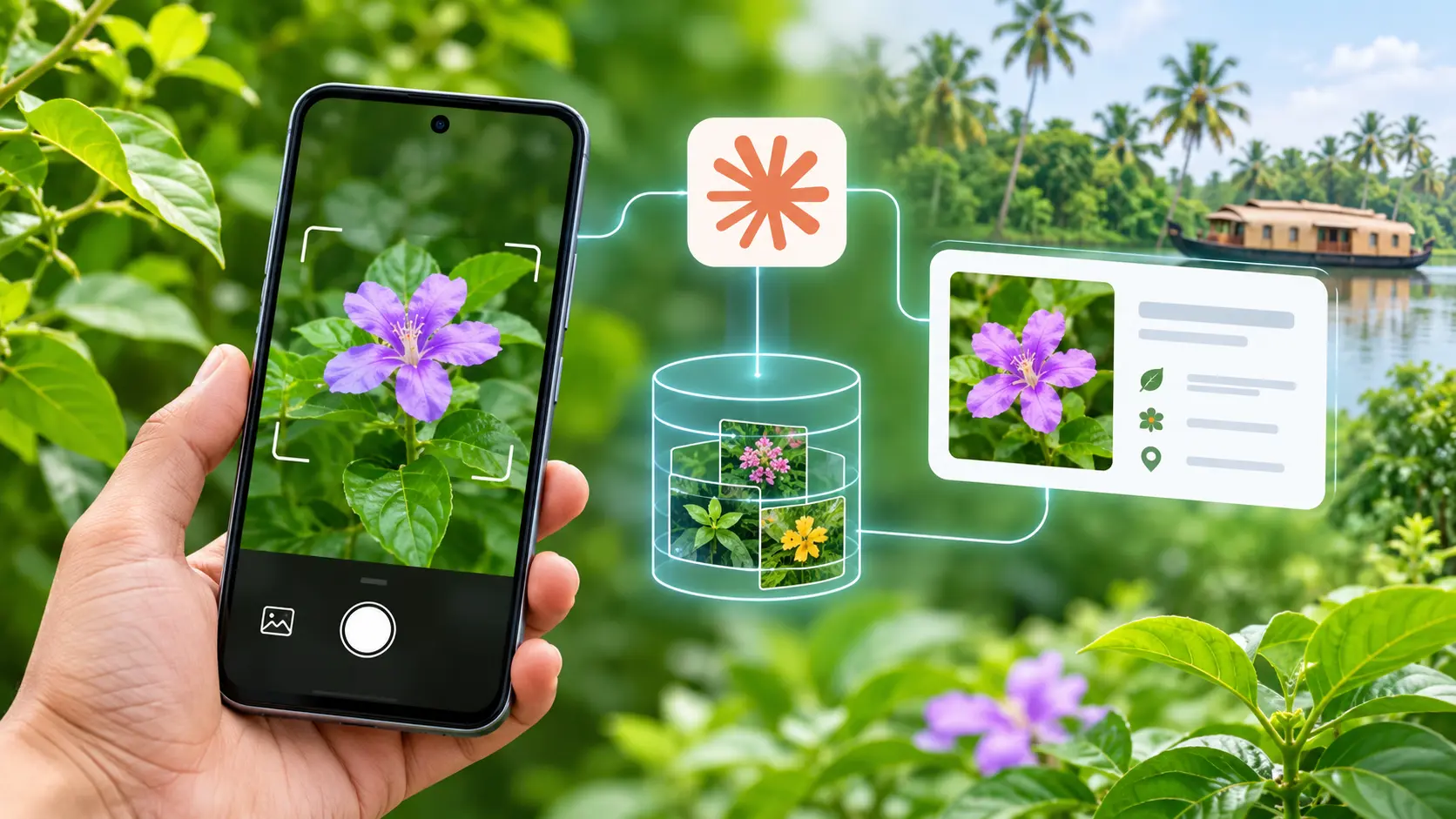
ThinkBio.Ai®, in collaboration with SciGenome Research Foundation, worked on eFlora Keralam to make plant identification more accessible through an Android application that combines Claude’s vision and reasoning capabilities with BioCLIP, a biology-specific image model. Users can photograph an unfamiliar plant or select an existing image from their gallery to receive a ranked list of likely Kerala species, each linked to its botanical record.
Maintained by the Hortus Malabaricus Botanical Garden & Research Institute (HMBGRI), eFlora Keralam is a digital flora covering 5,755 species, with information on taxonomy, morphology, distribution, uses, and names in five languages. The implementation brings this curated botanical information into an image-based search experience, while using Claude to screen photographs and refine the results.
Why is plant identification difficult for local users?
Plant identification often requires more than recognizing a visual resemblance. Users may need to distinguish between related species based on characteristics such as leaf structure, flower colour, fruit, or growth habit. Traditional botanical keys and search filters rely on users knowing these features and the terminology used to describe them.
For someone who knows a plant by its Malayalam name but not its scientific name, this creates an additional barrier. Searching by keyword is difficult when the name itself is unknown. A photograph offers a more natural starting point, particularly for people who are familiar with plants through everyday experience rather than formal botanical study.
The local context also matters. An identification application designed for a global audience may return visually similar species that do not grow in Kerala. A useful identification experience therefore needs to connect image matching with a reliable regional reference collection.
eFlora Keralam addresses this through its curated database of Kerala flora, allowing users to search visually and explore the botanical information associated with the likely matches.
How does eFlora Keralam identify plants using an Android camera?
The image-based identification workflow is designed around a straightforward interaction. A user opens the eFlora Android application, selects the camera icon on the search screen, and chooses either to take a photograph or select one from the phone’s gallery.
After the user confirms the image, the application sends it to the identification service. The system first checks whether the photograph is suitable for identification. If it contains no plant, is blurred, too dark, or too far away, Claude can stop the search and provide a clear suggestion to retake the photograph.
Once the image passes the initial screening, Claude identifies the main plant and defines a crop box around it. This crop box is passed to SAM 2, which isolates the plant from its background. BioCLIP then generates an image representation of the isolated plant, which can be compared with reference photographs of Kerala species. Weaviate vector search retrieves visually similar candidates, which are matched against records in the eFlora database.
Claude reviews the photograph alongside the retrieved candidates and refines their ranking before the results are displayed. Users receive a shortlist of likely matches, with each plant card showing its photograph, scientific name, common name, and family. Opening a result takes the user to the full botanical record.
The same workflow supports photographs selected from the gallery. This is useful when a user has limited or no network connectivity outdoors. They can take a photograph using the phone’s regular camera and upload it later through eFlora. Images shared through WhatsApp or captured on another device can also be selected.
How does Claude support image-based plant identification?
Claude plays two central roles in the identification process. It screens the photograph before image matching begins and refines the candidate results after the image search.
During photo screening, Claude examines the image to determine whether it contains a plant, identify the main plant in the frame, and assess image quality. It also identifies the plant part visible in the photograph, such as a leaf, flower, fruit, or bark, and can detect issues that may affect processing, including image rotation. Based on this assessment, Claude defines a crop box around the main plant. The crop box is passed to SAM 2 to guide the segmentation process and isolate the relevant plant from the background.
This screening helps prevent unsuitable photographs from moving through the identification pipeline. For example, if a user uploads a blurred photograph or an image that does not contain a plant, the application can provide a relevant retake suggestion instead of returning unrelated matches.
Claude also helps when multiple plants appear in a single photograph. It identifies the main plant and defines the crop box that SAM 2 uses to isolate it before image matching.
Its second role comes after BioCLIP retrieves candidate species. Claude considers the photograph and the candidate results together, removes species that cannot plausibly match the image, and reorders the remaining candidates by likelihood.
This division of responsibilities is important. BioCLIP performs the specialized image search, while Claude helps interpret the image and evaluate the results. Claude does not independently generate plant records or introduce species that were not retrieved from the eFlora database.
How does BioCLIP find matching plant species?
BioCLIP provides the biology-specific image search capability within the workflow. Trained on the tree of life, it creates image embeddings that represent the visual characteristics of the plant. These representations are used to search for similar reference images through Weaviate vector search.
Claude defines a crop box around the main plant, which is passed to SAM 2 to separate the plant from its background. This allows the image-matching process to focus on the plant rather than unrelated elements in the photograph.
Weaviate retrieves visually similar reference images, and the corresponding candidates are matched against the eFlora database. The result is a set of potential species drawn from the curated botanical records.
Claude then reviews this shortlist and refines its order. By combining biology-specific image retrieval with language-model reasoning, the application uses each technology for a distinct task rather than relying on a single model to perform the entire identification process.
How does eFlora keep plant identification grounded in botanical records?
The reliability of an identification experience depends on the reference information behind its results. eFlora Keralam draws from a collection of more than 6,000 species curated by HMBGRI through decades of field research. Its records include taxonomy, morphology, plant habit, flowering and fruiting seasons, distribution by district and altitude, and conservation and endemic status.
The database also provides vernacular names in English, Malayalam, Sanskrit, Tamil, and Hindi. Users can explore information about medicinal, edible, poisonous, and weed-related uses, including parts used and ethnobotanical notes.
These records provide the regional context for image-based identification. Rather than presenting an unrestricted list of globally similar plants, the application connects its results to species represented in the eFlora collection.
The system also applies a specific boundary to Claude’s role. Claude can remove or reorder species already returned by the image search, but it cannot add a species that is absent from the eFlora database. Results are labelled as “likely matches” rather than guaranteed identifications.
Claude returns structured JSON that is validated before the application uses it. If Claude is unavailable, the application can fall back to the original BioCLIP ranking, allowing image search to continue without the refinement step. Uploaded photographs are used for the search and are not stored on the server.
What can users learn from an identified plant?
The identification results are intended to take users beyond a scientific name. Each result links to a full plant record where they can explore the species’ botanical characteristics, distribution, flowering season, uses, and vernacular names.
For someone who knows a plant by sight but not by botanical terminology, this makes the identification process more accessible. A user can begin with a photograph and then explore the information using familiar names and descriptions.
The application also supports other search methods, including keyword search and filters based on plant family, habit, leaf type, flower colour, habitat, district, and season. Image-based identification therefore complements the existing ways of exploring the digital flora rather than replacing them.
What does this implementation demonstrate about Claude in domain-specific applications?
The eFlora Keralam implementation demonstrates how Claude can work alongside a specialized vision model and a curated domain database. Its role is not to replace biological image search, but to improve how photographs are screened and how candidate matches are evaluated before users receive the results.
BioCLIP handles similarity-based image retrieval, SAM 2 isolates the plant using the crop box defined by Claude, and Weaviate supports vector search across reference images. Claude interprets the photograph, identifies image-quality issues and the main plant, identifies the visible plant part, defines the crop box, and refines the candidate list. The eFlora database provides the botanical records that ground the final results.
Together, these components create an image-based identification experience designed around Kerala’s plant diversity and the needs of local users. Someone who may not know a plant’s scientific name can begin with a photograph, review likely matches, and access the corresponding botanical information in a language they recognize.
The eFlora Keralam implementation, undertaken by ThinkBio.Ai® in collaboration with SciGenome Research Foundation, brings curated botanical knowledge closer to everyday use, making it easier for people to move from recognizing an unfamiliar plant to exploring its identity and uses.